Move a game. Keep its players.
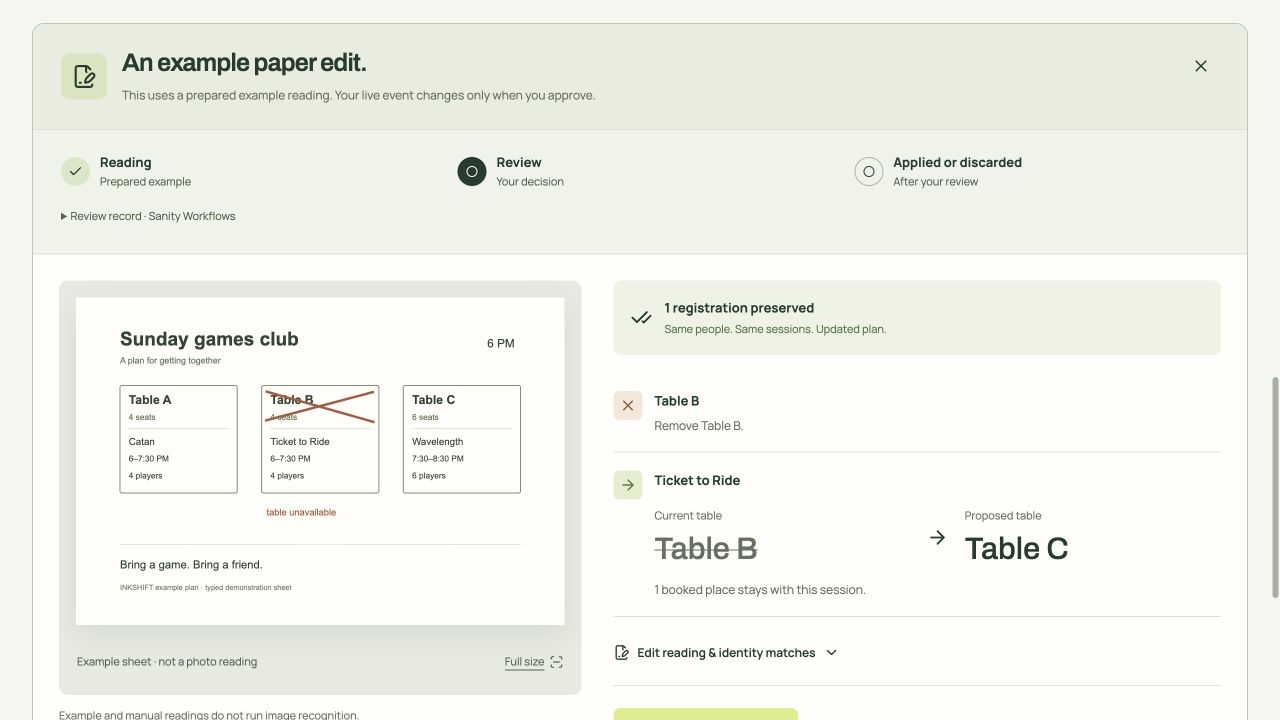
Cross out Table B on the paper. Ticket to Ride moves to Table C, which is free for the full game.
Photograph or type your event plan and share a signup page. Change the paper later. Everyone keeps their place.
Your plan stays as it is until you approve.
Available for the full game, 6-7:30 PM.
Cross out a table. Check where its game can go.
Illustrated example. No photo is being read.Each session keeps its identity through an edit, so the people who booked it move with it.
Cross out Table B on the paper. Ticket to Ride moves to Table C, which is free for the full game.
Guests pick a session on their phone. No account needed.
The reader only proposes. Sanity Workflows keeps a record of each review.
Tables, sessions and registrations are separate Sanity documents. The session ID stays the same when its table changes.
Screenshot of the hosted content inspector, 23 September 2026.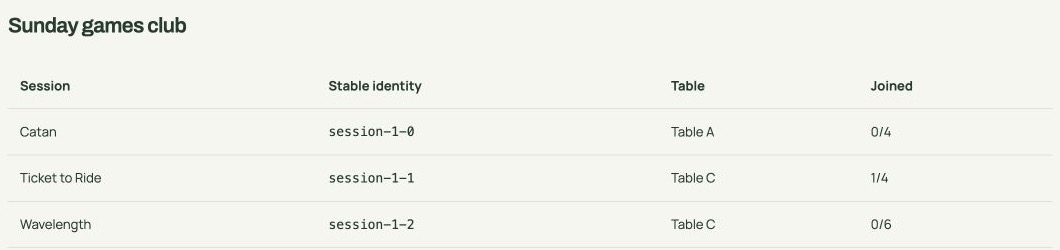
Tiles above are illustrated. The screenshot is from the real app.
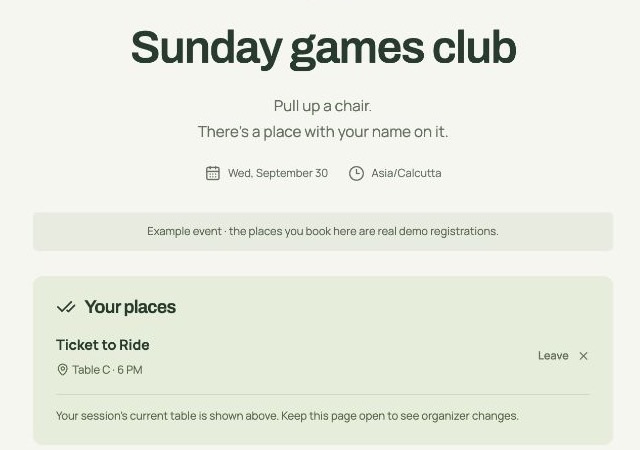
Real screens from the prepared sample, captured on 23 September 2026. The guest keeps the same booking after the move.
No. Share the participant link, and guests can choose a session and book a place. Keep your organiser backup code private; it gives access to manage the gathering.
Check and correct the reading before you apply it. You can also type a plan yourself. A proposed change waits for your approval, and conflicts must be resolved before it can be saved.
Their registration belongs to the session. If you approve a move to another table, those registrations stay with it. The review checks available seats and the full time slot before the move.
Bring your plan. INKSHIFT keeps a place for every person.